ZUSMPP Manual – Billing Section
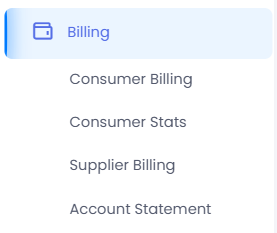
Location: Sidebar → Billing
The Billing section provides comprehensive financial tracking and reporting for SMS message activity. It is divided into four sub-sections for detailed analysis and statements.
· Consumer Billing – Generate invoices and view billing details for consumers.
· Consumer Stats – View hourly, daily, weekly, or monthly message statistics for consumers.
· Supplier Billing – Review costs and billing associated with supplier message delivery.
· Account Statement – View a complete financial summary with cost, revenue, and profit breakdowns.
ZUSMPP Manual – Consumer Billing
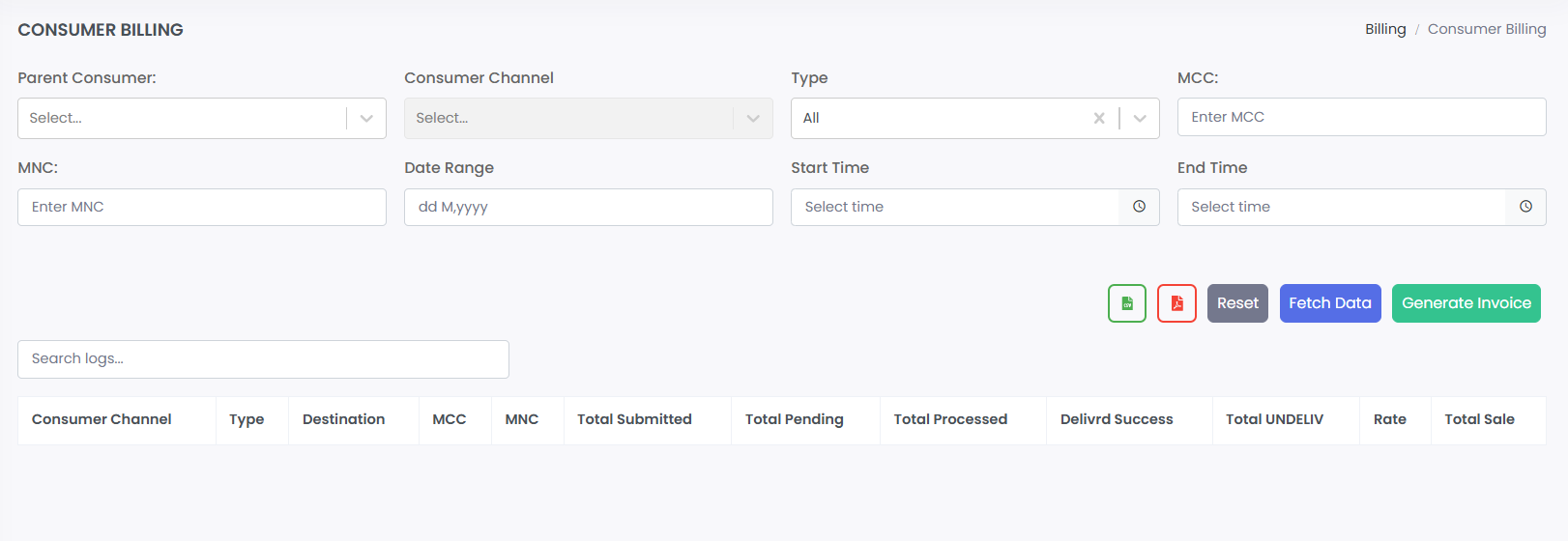
Location: Sidebar → Billing → Consumer Billing
Generates billing reports and cost calculations for consumer message activity.
1. Search Filters
· Parent Consumer: Select a main consumer account.
· Consumer Channel: Filter by specific SMPP channel.
· Type: Filter by message type (All, SMS, etc.).
· MCC/MNC: Filter by mobile network codes.
· Date/Time Range: Filter by start/end date and time.
2. Billing Report Table
· Displays filtered billing data.
· Columns: Consumer Channel, Type, Destination, MCC, MNC, Total Submitted, Total Pending, Total Processed, Delivered Success, Total UNDELIV, Rate, Total Sale.
· Shows message counts and calculated costs.
3. Invoice Generation & Email
· Generate invoice for the filtered period with a single click.
· Send invoice via email directly from the billing page.
ZUSMPP Manual – Consumer Stats
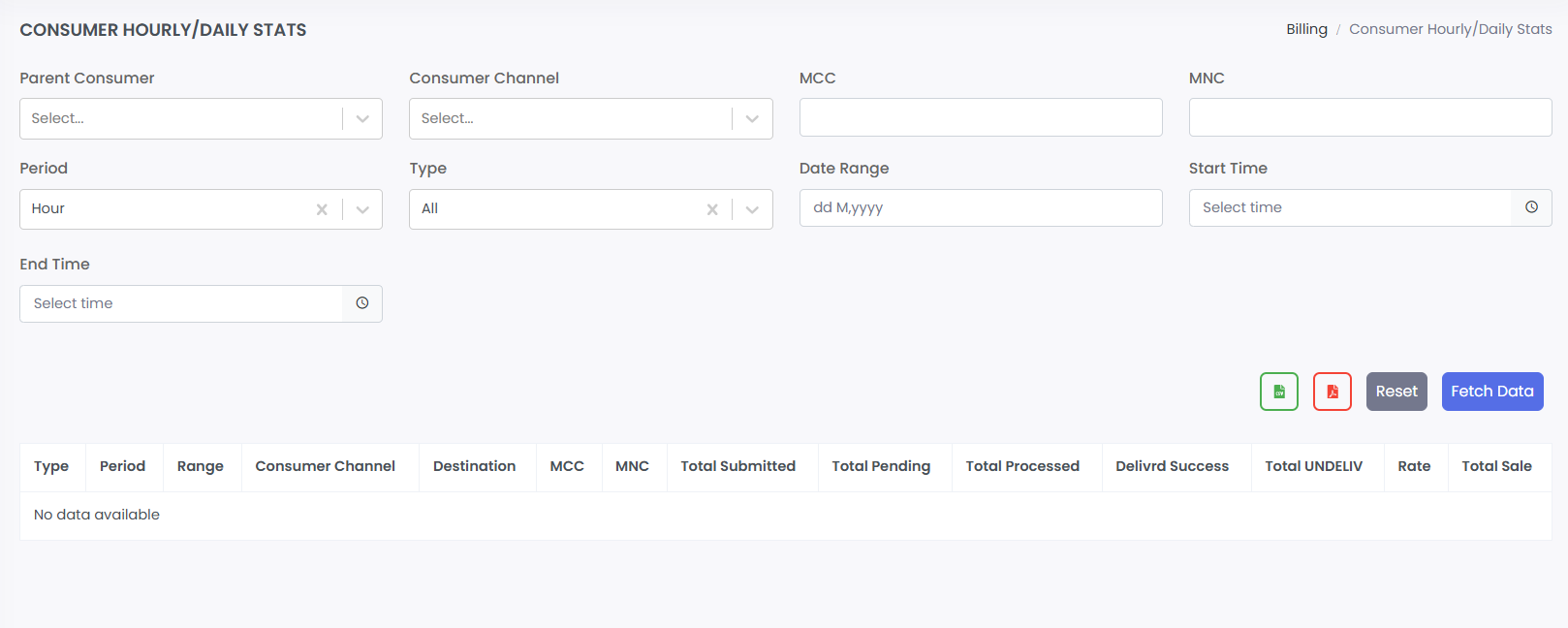
Location: Sidebar → Billing → Consumer Stats
Displays detailed hourly, daily, weekly, or monthly message statistics for consumers with advanced filtering.
1. Search Filters
· Parent Consumer: Select main consumer account.
· Consumer Channel: Filter by SMPP channel.
· MCC/MNC: Filter by network codes.
· Period: Choose time granularity (Hour, Day, Week, Month).
· Type: Filter by message type.
· Date/Time Range: Select specific start/end date and time.
2. Stats Table
· Shows filtered statistical data.
· Columns: Type, Period, Range, Consumer Channel, Destination, MCC, MNC, Total Submitted, Total Pending, Total Processed, Delivered Success, Total UNDELIV, Rate, Total Sale.
· Provides breakdown of message volumes and performance.
3. Actions
· Fetch Data: Generate report based on filters.
· Reset: Clear all filter selections.
ZUSMPP Manual – Supplier Billing
Location: Sidebar → Billing → Supplier Billing
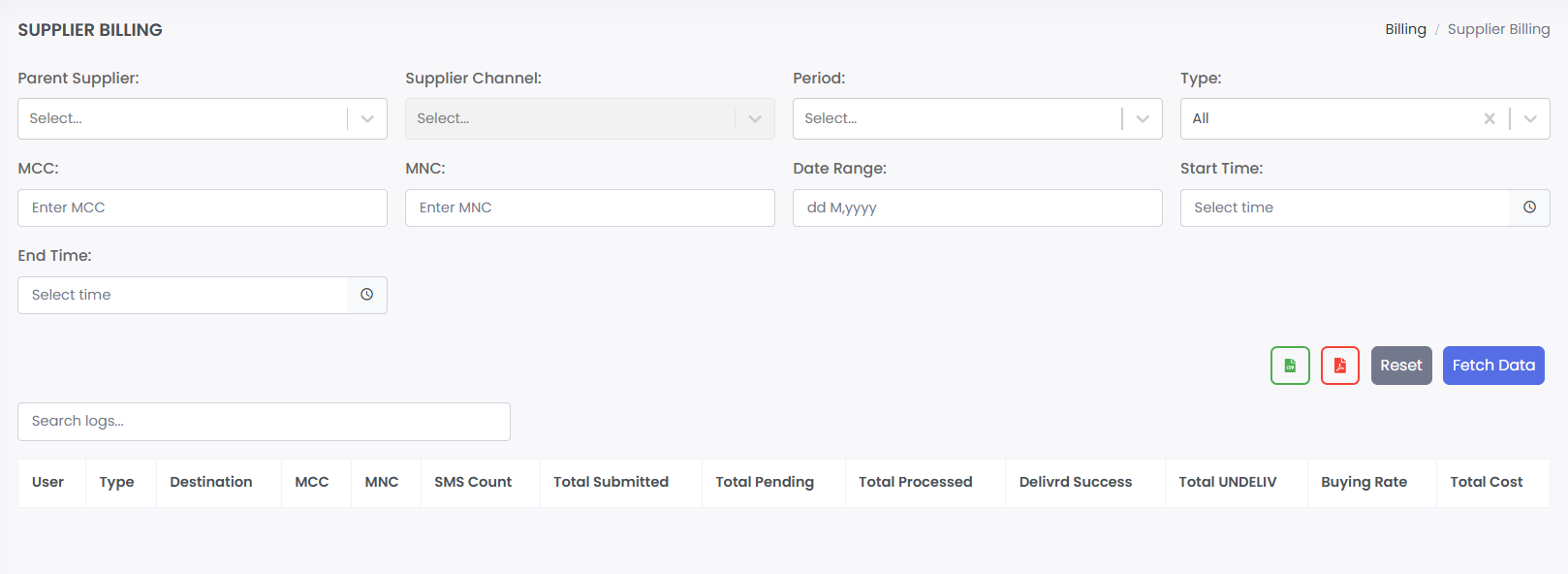
Generates billing reports and cost calculations for supplier message activity.
1. Search Filters
· Parent Supplier: Select a main supplier account.
· Supplier Channel: Filter by specific SMPP gateway channel.
· Period: Select time aggregation.
· Type: Filter by message type (All, SMS, etc.).
· MCC/MNC: Filter by mobile network codes.
· Date/Time Range: Filter by start/end date and time.
2. Billing Report Table
· Displays filtered supplier billing data.
· Columns: User, Type, Destination, MCC, MNC, SMS Count, Total Submitted, Total Pending, Total Processed, Delivered Success, Total UNDELIV, Buying Rate, Total Cost.
· Shows message volumes and associated costs from the supplier side.
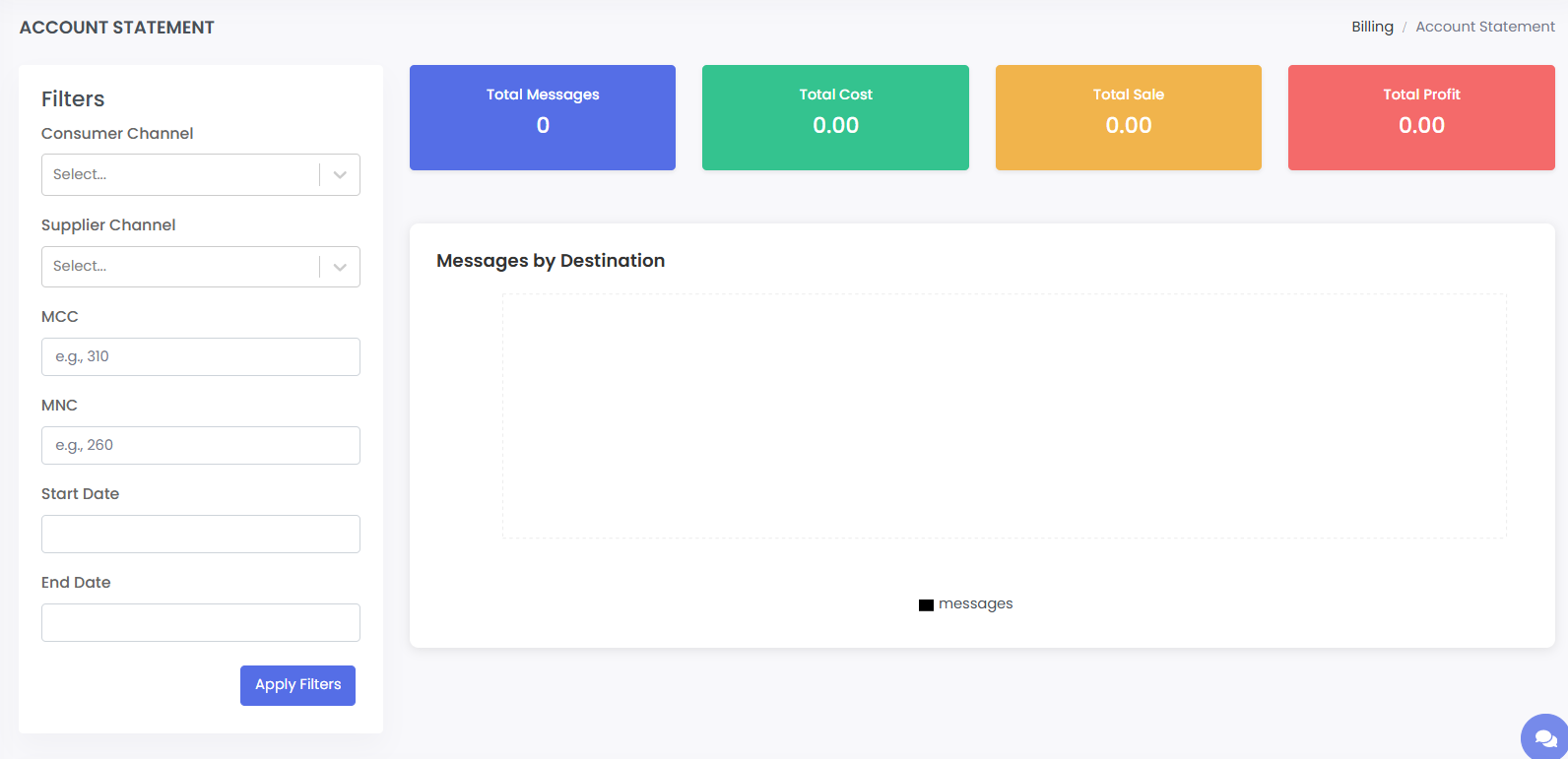
ZUSMPP Manual – Account Statement
Location: Sidebar → Billing → Account Statement
Displays a detailed financial summary and message breakdown based on selected filters. Shows cost, revenue, and profit metrics for a given period.
1. Search Filters
· Consumer Channel: Filter by consumer SMPP channel.
· Supplier Channel: Filter by supplier gateway channel.
· MCC / MNC: Filter by mobile network codes.
· Start Date / End Date: Select date range for the report.
· Apply Filters: Generate the statement based on selections.
2. Summary Metrics
· Total Messages: Count of all messages in the period.
· Total Cost: Total expense for messages (buying cost).
· Total Sale: Total revenue from messages (selling price).
· Total Profit: Net profit (Sale – Cost).
3. Messages by Destination
· Visual or tabular breakdown of messages per destination/region.
· Helps identify traffic distribution and cost/revenue by country or operator.
4. Detailed Data Table
· Lists individual transactions or aggregated records.
· Columns: System ID, Selected Supplier, Destination, Total Messages, MCC, MNC, Total Cost, Total Sale, Total Profit.
· Provides granular view for auditing and analysis.