ZUSMPP Manual – Manage Supplier Number Trim
Location: Sidebar → Manage Supplier Number Trim
Controls prefix adjustments for supplier phone numbers during SMS routing.
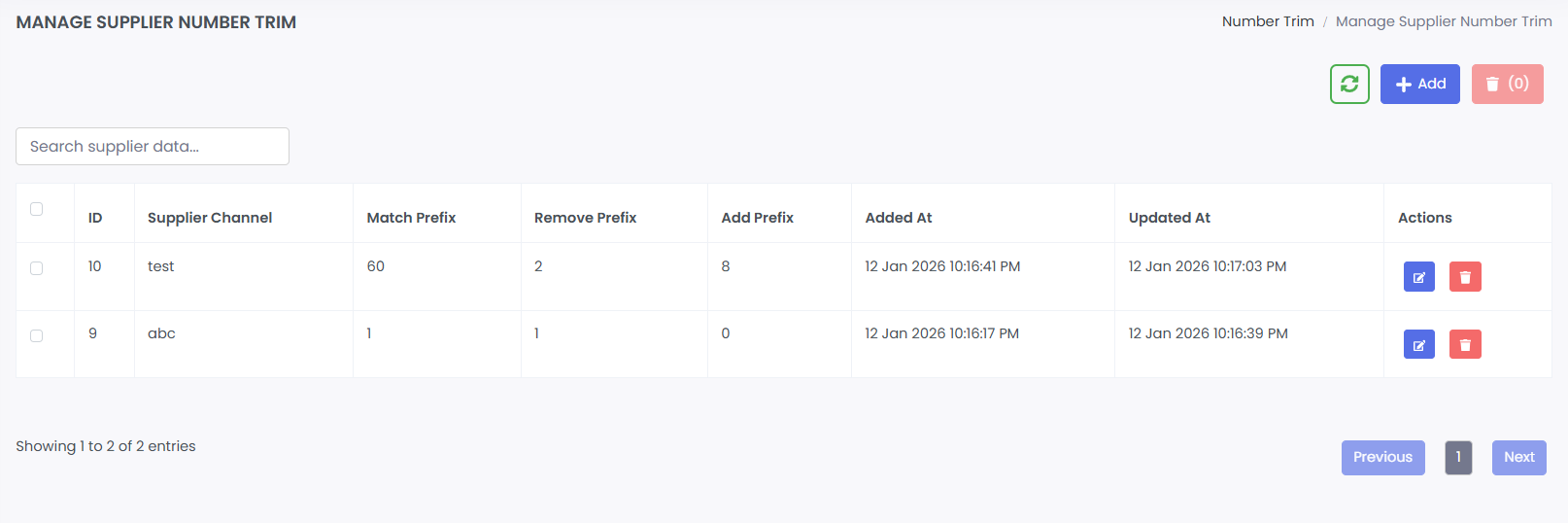
1. Supplier Number Trim List
· Table of existing trim rules.
· Columns: ID, Supplier Channel, Match Prefix, Remove Prefix, Add Prefix, Added At, Updated At, Actions.
· Search bar for filtering entries.
· Actions: Edit, Delete.
2. Add Supplier Number Trim
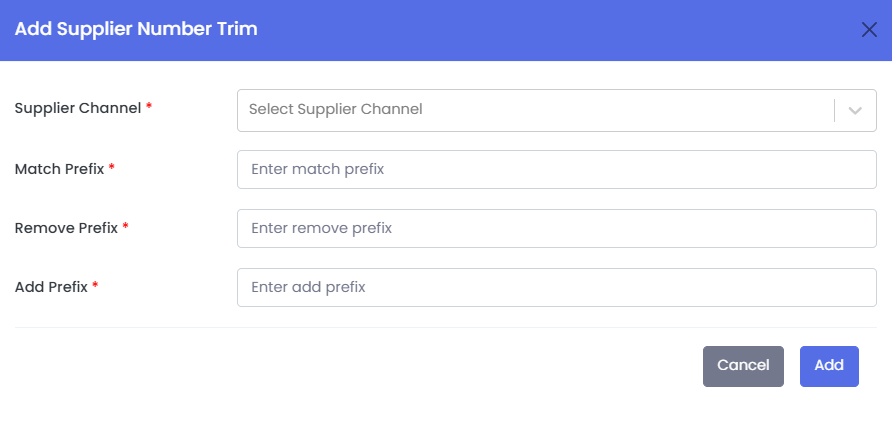
· Form to create a new number formatting rule.
· Fields:
→ Supplier Channel (dropdown)
→ Match Prefix (the prefix to identify numbers)
→ Remove Prefix (characters to remove)
→ Add Prefix (characters to prepend)
3. Edit Supplier Number Trim
· Pre-filled form to update an existing trim rule.
· Same fields as the Add form.
4. Delete Supplier Number Trim
· Removes the trim rule after confirmation.
Note:
Used to normalize or reformat destination numbers before sending to the supplier.
Example: Match “60”, remove “2”, add “8” → converts 60xxxx to 8xxxx.