ZUSMPP Manual – Routing Section
Location: Sidebar → Routing
Manages SMS routing rules between consumer and supplier channels.
1. Routing List
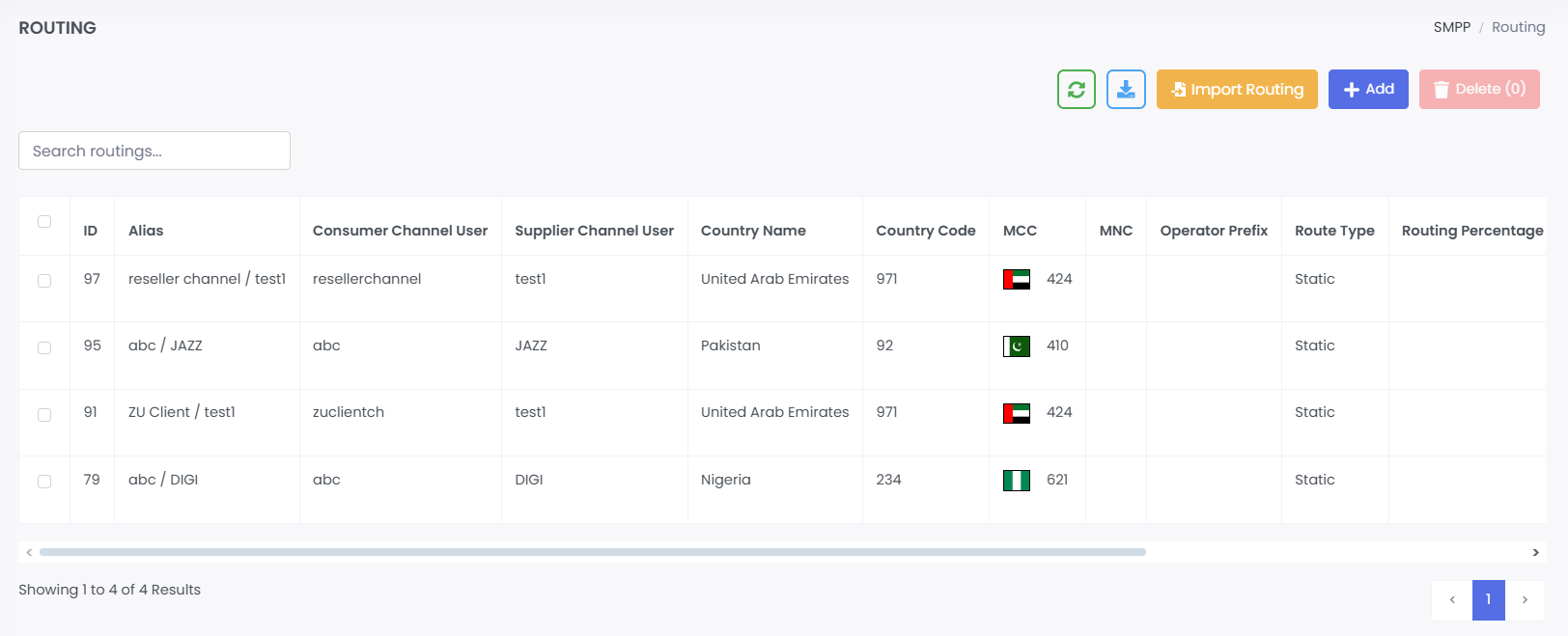
· Table displays all routing rules.
· Columns: ID, Alias, Consumer Channel User, Supplier Channel User, Country Name, Country Code, MCC, MNC, Operator Prefix, Route Type, Routing Percentage.
· Search bar for filtering routes.
· Action buttons: Edit, Delete, View.
2. Add Routing
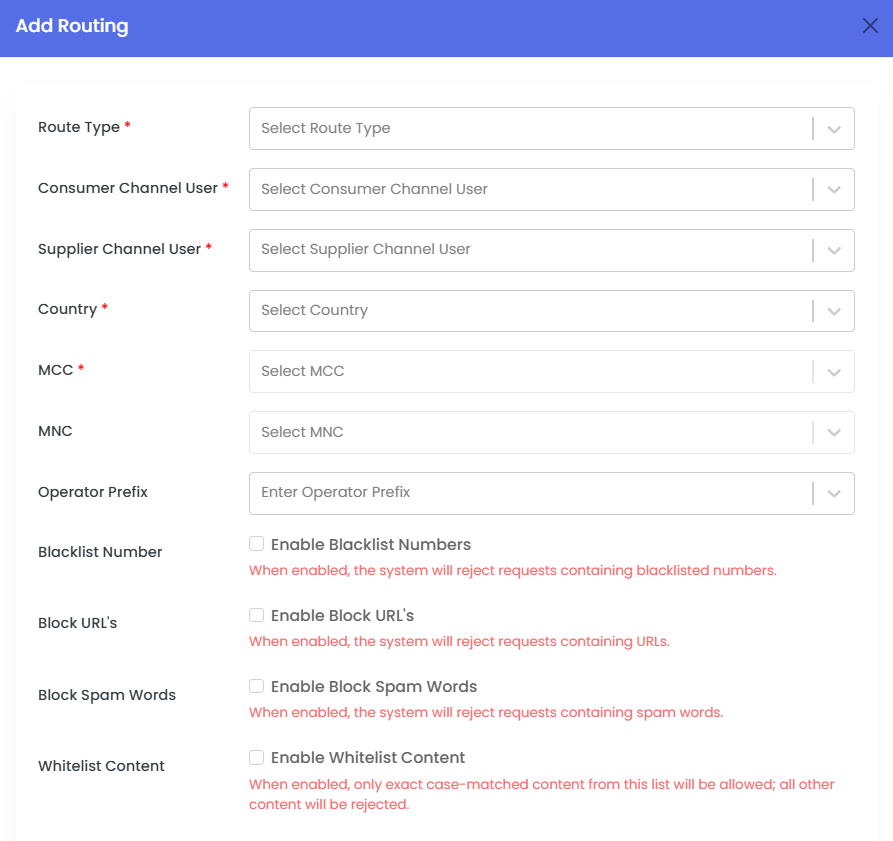
· Form to create a new routing rule.
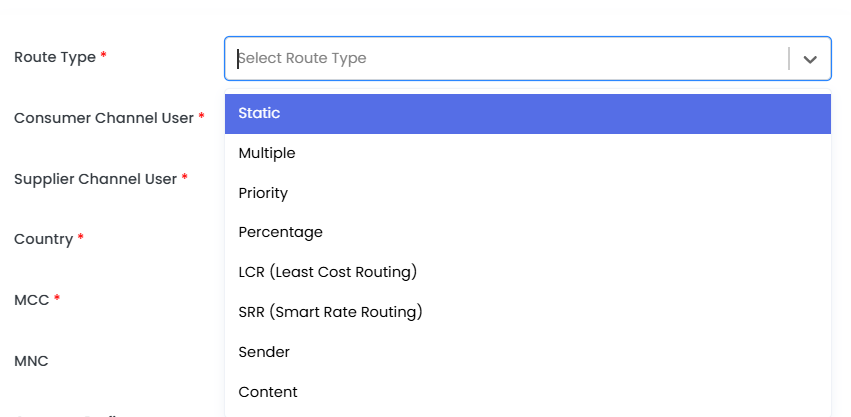
· Route Types: Static, Multiple, Priority, Percentage, LCR (Least Cost Routing), SRR (Smart Rate Routing), Sender, Content.
· Fields: Consumer Channel User, Supplier Channel User, Country, MCC, MNC, Operator Prefix.
· Filters: Options to enable Blacklist Numbers, Block URLs, Block Spam Words, Whitelist Content.
3. Edit Routing
· Pre-filled form to update an existing routing rule.
· Same fields as the Add form.
4. View Routing
· Read-only display of routing rule details.
5. Delete Routing
· Removes the routing rule after confirmation.