ZUSMPP Manual – SMPP Channels Section
SMPP Channels Section Overview
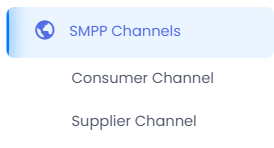
The SMPP Channels section manages all SMPP connections used for sending and receiving SMS. It is divided into two main categories:
1. Consumer Channel – SMPP connections linked to message senders/receivers (clients).
2. Supplier Channel – SMPP connections linked to SMS gateway providers.
This section handles SMPP session settings, credentials, and connection monitoring.
ZUSMPP Manual – SMPP Channels > Consumer Channel
Consumer Channel Section
Location: Sidebar → SMPP Channels → Consumer Channel
Manages SMPP connections for message sending/receiving by consumers.
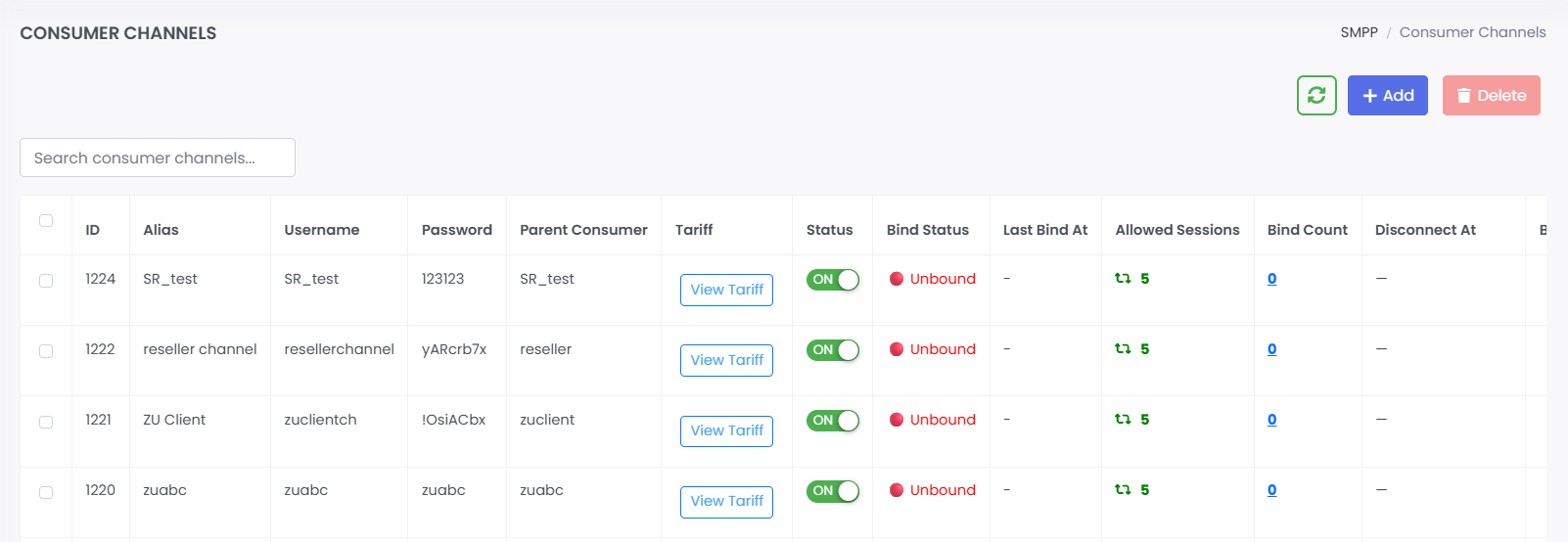
1. Consumer Channel List
· Displays all consumer SMPP channels in a table with columns:
ID, Alias, Username, Password, Parent Consumer, Tariff, Status, Kind Status, Last Kind At, Allowed Sessions, Kind Count, Discounted, A1, Kind Error, Fence QA, Actions
· Action buttons per row allow channel management.
Main page to view and manage all consumer SMPP connections.
2. Add Consumer Channel
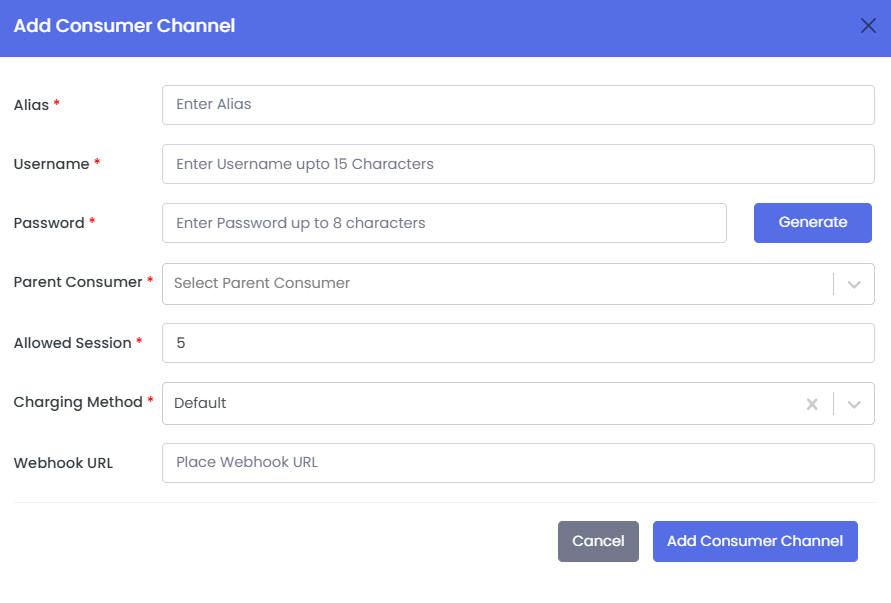
· Form to create a new SMPP channel for a consumer.
· Required fields:
→ Alias
→ Username (up to 15 characters)
→ Password (up to 8 characters)
→ Parent Consumer (dropdown selection)
→ Allowed Session
→ Charging Method
· Optional field: Webhook URL
Used to set up a new SMPP channel for message routing.
3. Edit Consumer Channel
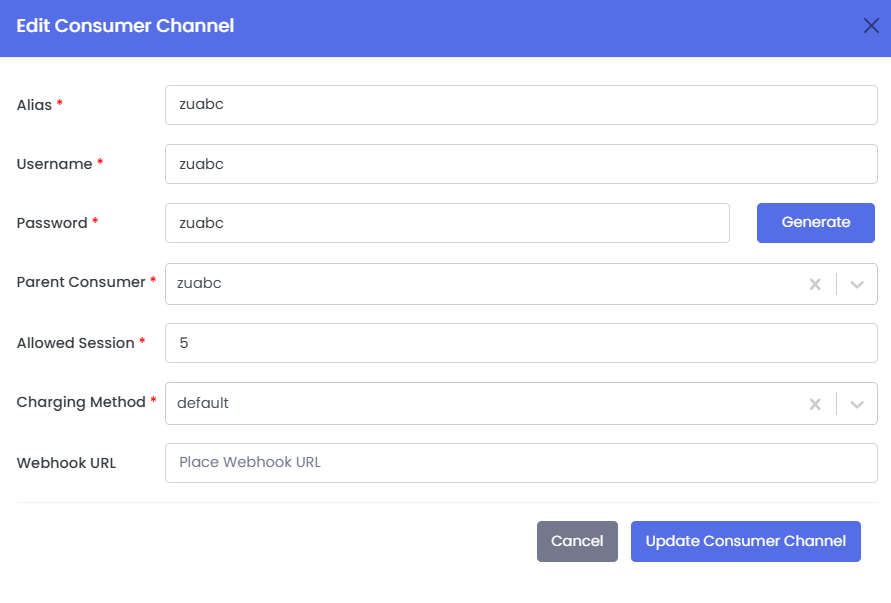
· Pre-filled form with existing channel data.
· Editable fields include Alias, Username, Password, Parent Consumer, Allowed Session, Charging Method, Webhook URL.
· Maintains the same structure as the Add form.
Use to update channel credentials or connection settings.
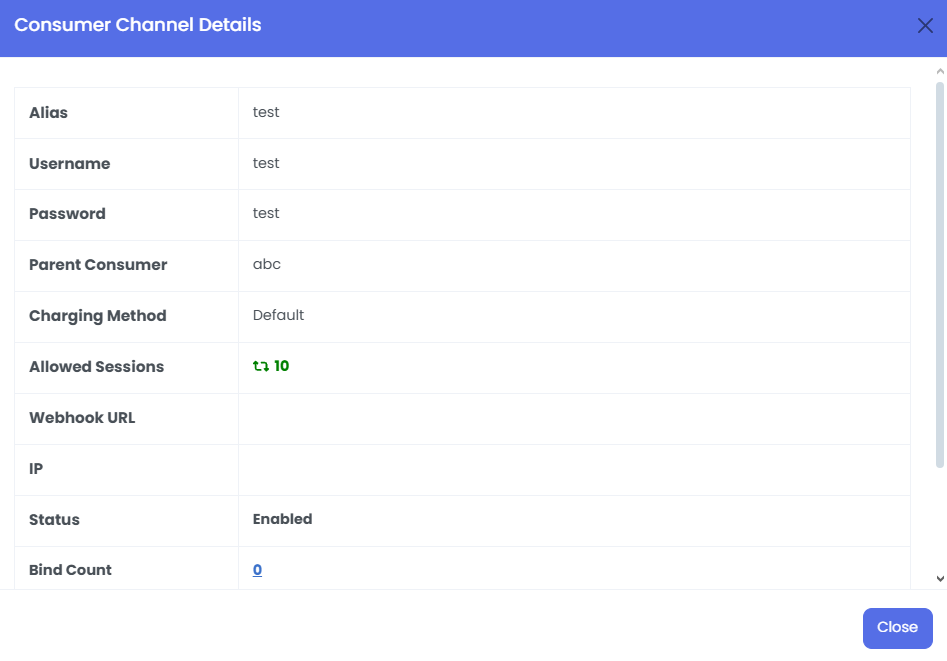
4. View Consumer Channel
· Read-only summary of channel information (ID, Alias, Username, Parent Consumer, Status, etc.).
· No edit options available here.
For connection details and monitoring.
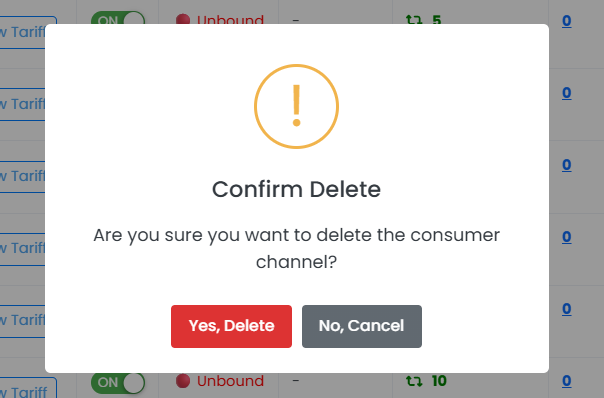
5. Delete Consumer Channel
· Confirmation modal before removing an SMPP channel.
· Requires explicit confirmation to prevent accidental deletion.
Permanently removes the SMPP channel and its configuration.
ZUSMPP Manual – Supplier Channel
Location: Sidebar → SMPP Channels → Supplier Channel
Manages SMPP connections for SMS gateway providers.
1. Supplier Channel List
· Table displays all supplier SMPP channels.
· Columns: ID, Alias, Username, Parent Supplier, Status, Bind Status, Last Bind At, Bind Count, Actions.
· Includes search bar to filter entries.
· Action buttons allow: Settings, Delete.
2. Add Supplier Channel
· Form to create a new SMPP gateway connection.
· Fields: Protocol Type (SMPP), Alias, Username (up to 15 chars), Password (up to 8 chars), Parent Supplier (dropdown), IP Address, Port.
· Saves basic channel info; further settings can be configured after creation.
3. Edit Supplier Channel
· Same as the Add form but pre-filled.
· Used to update basic connection details.
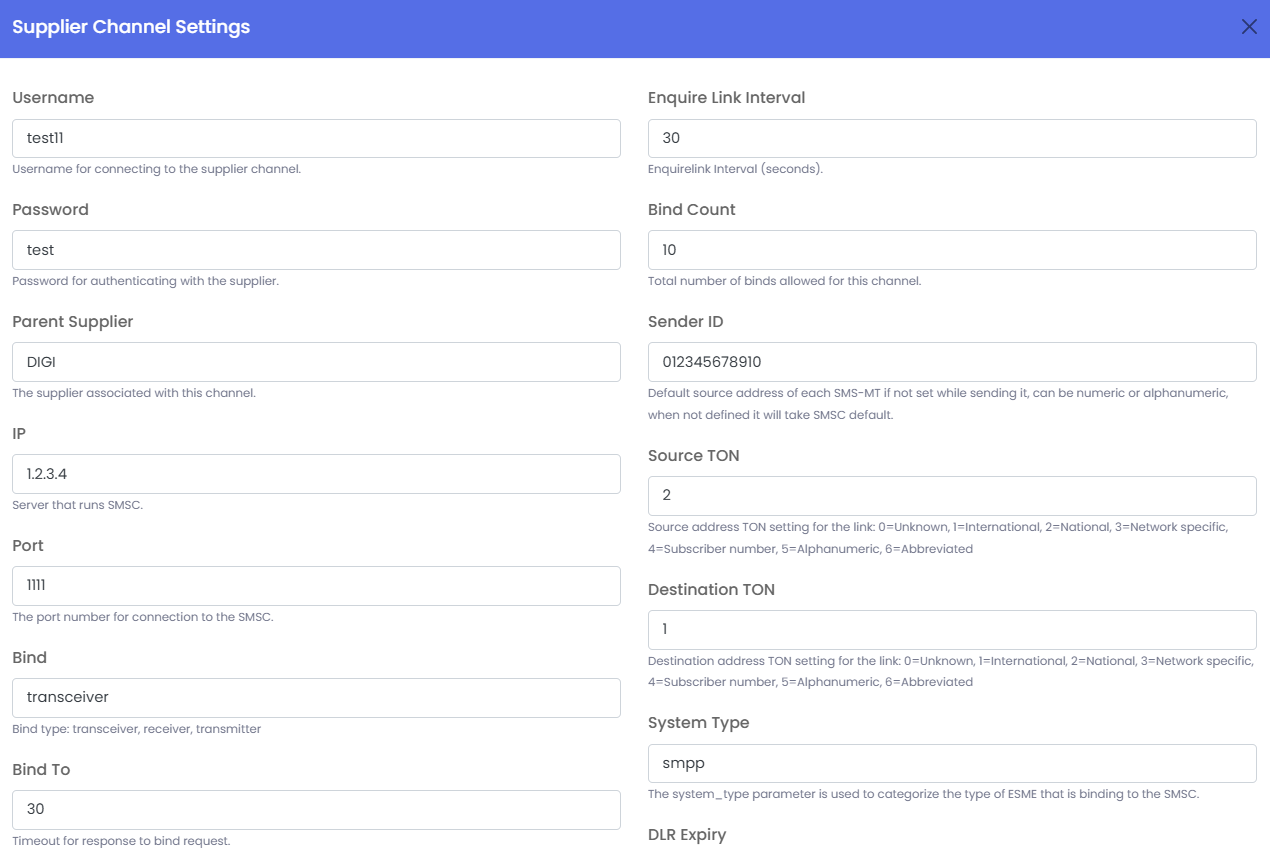
4. Supplier Channel Settings
· Extended configuration form for SMPP parameters.
· Includes:
o Bind type (Transceiver/Receiver/Transmitter)
o IP, Port, Bind timeouts
o TON/NPI settings (Source/Destination)
o System Type, Enquire Link interval
o Throughput limits, DLR expiry, Coding, and more.
· Used to fine-tune gateway behavior and compliance.
5. Delete Supplier Channel
Removes the SMPP gateway connection after confirmation.